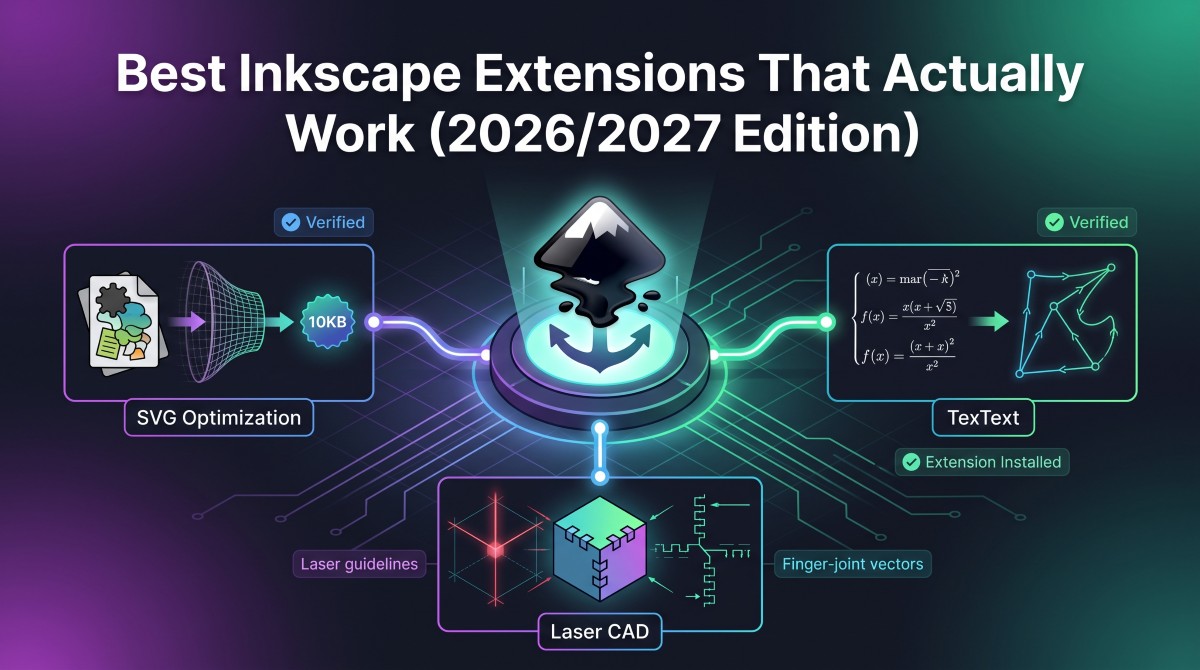
Finding downloadable add-ons for modern Inkscape releases (v1.3, v1.4, and newer) is notoriously hit-or-miss. Searching old forums or random GitHub forks often leads to scripts written for Python 2 or obsolete inkex APIs that fail to register in menus or throw syntax tracebacks.
This curated list features strictly external, downloadable third-party extensions verified to run cleanly on modern Python 3 runtimes, complete with their active source repositories.
What’s New in Modern Inkscape (v1.4+ and Beyond): The Big Leap Forward
First of all, maybe some of you don’t know, but there are quite a few major and fundamental changes and improvements that were introduces in the latest Inkscape versions. Modern releases have tackled many long-standing bottlenecks, introducing built-in tools and under-the-hood engine upgrades that replace the need for clunky external plugins:
- Visual Filter Gallery (
Filters > Filter Gallery): Rather than guessing what dozens of text-only SVG filters do in a dropdown, you now get an interactive visual browser with categorized thumbnail previews, live search, and real-time adjustments before applying effects to your canvas. - Shape Builder with Raster Clipping: The Shape Builder tool no longer works only on pure vector paths; you can now drag overlapping vector strokes across imported raster images to slice and clip photos into multi-part geometric layouts in seconds.
- Native Proprietary Format Imports: Native import support has expanded to include Affinity Designer (
.afdesign) files (preserving complex nested vector masks, shapes, and transparency) alongside initial support for Linearity Curve / Vectornator files and binary DXF (R13+) for CAD workflows. - Modular & Axonometric Grids: Isometric and technical illustration received a major upgrade—you can now lock grid angles by custom aspect ratios and configure modular layout grids for icon design and responsive UI wireframing without manual guide math.
- Interactive Swatches & Unified Font Browser: A revamped Swatches dialog supports Adobe Swatch Exchange (
.ase), Adobe Color Book (.acb), and CIELAB formats. Meanwhile, the font browser adds instant on-canvas typography previews so you don’t have to scroll blindly through your system font list. - Overhauled Extension Engine: The internal
inkexextension framework now uses constant-time ID caching, modernCubicSuperPathacceleration, and direct NumPy 2 compatibility. This eliminates UI freezes on complex path operations, speeds up CSS cascade evaluations, and prevents the script timeout crashes that plagued older versions
How to Install Third-Party Extensions
- Open Inkscape.
- Go to Edit > Preferences > System (
Ctrl + Shift + P). - Locate the directory listed under User extensions:
- Linux:
~/.config/inkscape/extensions/ - Windows:
%APPDATA%\inkscape\extensions\ - macOS:
~/Library/Application Support/org.inkscape.Inkscape/config/inkscape/extensions/
- Linux:
- Unpack the downloaded
.inxand.pyfiles (and any included subfolders) into that directory, then restart Inkscape.
The Best Downloadable Extensions
1. Scientific Inkscape (by David Burghoff)
- Location in UI:
Extensions > Scientific - What it does: An actively maintained powerhouse suite tailored for academic publishing, scientific figures, and technical schematics.
- Why you need it:
- Scale Plots Cleanly: Resize charts, plots, and graphs without distorting font sizes, tick widths, or aspect ratios.
- Homogenizer: Standardize inconsistent stroke widths, colors, and typefaces across imported multi-source graphics in one click.
- Auto-Exporter: Silently exports perfectly sized SVGs, PDFs, and EMFs upon saving to avoid rasterization issues in LaTeX and Office.
2. Ink/Stitch
- Location in UI:
Extensions > Ink/Stitch - What it does: The flagship open-source embroidery digitizing platform. It has one of the most active developer teams in open-source graphics and consistently tracks upstream Inkscape core releases.
- Why you need it:
- Converts vector strokes into satin columns and fills into tatami patterns.
- Direct file export to industrial embroidery machine formats (
.PES,.DST,.EXP,.JEF). - Includes a realistic, real-time stitch preview simulator with thread tension, pull compensation, and density controls.
3. TabbedBoxMaker (Python 3 Fork)
- Location in UI:
Extensions > Laser Tools > Tabbed Box Maker - What it does: Generates finger-joint/tabbed box enclosures for laser cutters, vinyl cutters, and CNC routers.
- Why you need it:
- Standard older box generators fail on Python 3 or miss kerf logic entirely; this maintained refactor includes modern unit handling.
- Calculates internal/external dimensions with millimeter-level kerf compensation so interlocking wood/acrylic tabs press-fit snugly.
- Features support for internal dividers and dog-bone fillets for router cutters.
4. Inkscape-Silhouette
- Location in UI:
Extensions > Export > Send to Silhouette - What it does: Direct hardware communication from your canvas to Silhouette vinyl and craft cutters (Cameo, Portrait, Curio) via USB or Bluetooth.
- Why you need it:
- Eliminates the need to export files into proprietary software suites like Silhouette Studio.
- Maps blade depth, speed, and cutting pressure directly to SVG stroke colors or layer structures.
- Includes path-sorting algorithms to avoid vinyl tears on sharp turns.
5. SVG2TikZ
- Location in UI:
Extensions > Export > Export to TikZ/PGF - What it does: Converts vector paths into native
TikZandPGFmacro code for direct embedding into LaTeX documents. - Why you need it:
- Translates SVG Bézier math into native TeX drawing code, avoiding blurry rasterization or DPI mismatch issues in PDF manuscripts.
- Enables seamless math and figure typesetting inside academic papers.
6. Inkscape Generator
- Location in UI:
Extensions > Export > Generator... - What it does: Batch-produces customized graphic files from a single SVG template using data from a CSV spreadsheet.
- Why you need it:
- Perfect for generating dynamic conference badges, product labels, business cards, or event certificates.
- Supports text replacement (using
%VAR_column%tags), color swaps per data row, and conditional layer visibility (%IF_field%or%UNLESS_field%).
7. Inkscape Open Symbols
- Location in UI:
Object > Symbols(Ctrl + Shift + Y) - What it does: Injects thousands of popular icon sets directly into Inkscape’s native symbol palette.
- Why you need it:
- Adds direct vector search and drag-and-drop support for Google Material Icons, Font Awesome, Octicons, and CircuiTikZ electrical schematics without requiring manual SVG asset importing.
What About Built-in Features? (No External Download Needed)
Don’t clutter your extensions folder with legacy scripts for jobs Inkscape now does natively:
- Clean Web SVG: Handled via
File > Save As... > Optimized SVG(strips metadata, namespaces, and unnecessary editor IDs). - Barcodes & QR Codes: Handled via
Extensions > Render > Barcode(creates standard EAN-13, Code 128, and QR codes out of the box). - Text Arches & Shape Deformation: Do not use legacy Python scripts for bending. Use the native C++ Path > Path Effects (LPE) engine (
Bend,Envelope Deformation, orLattice Deformation 2), or useText > Put on Pathfor unwarped curved text.
Troubleshooting Third-Party Python Extensions
- Missing Module Errors (
No module named X): If an extension fails to run with a module error (such aslxml,numpy, orpyusb), install the package into the Python runtime Inkscape is using via your terminal (pip install numpy pyusb). - Flatpak / Snap Directory Paths: If you run Inkscape sandboxed on Linux, the extensions folder is typically at
~/.var/app/org.inkscape.Inkscape/config/inkscape/extensions/. - Ghost Folders: Keep
.inxand.pyfiles directly inside your user extensions root or in their designated single-level folders. Multi-nested directory structures will prevent Inkscape from parsing the extension’s XML manifest.
